MERIDIAN DISTRICT | GOLDEN GATE AREA COUNCIL
Meridian District serves Scouting units in the greater San Ramon Valley including Alamo, Blackhawk, Danville, Diablo, & San Ramon.
We empower unit leaders, strengthen local programs, and help young people prepare for lives of impact and purpose.
This page is the primary resource for Meridian District Scouts following the Trail to Eagle.
♦ We review Proposal and Rank Advancement appointments for completeness.
♦ We cancel appointments if the online folder is inaccessible or the documentation is incomplete.
October 31, 2026
Scouts BSA National Advancement Team published a new Eagle Scout Service Project Workbook in October 2026. It is a major update to the current version first introduced in the Fall of 2011. The Meridian District Advancement Committee is reviewing the changes and any impact on our current processes for preparing for Proposals and Rank Advancement reviews. We will post updates on this page. Meanwhile, we encourage Scouts, Leaders, and Parents to review each of the Appendices along with the FAQs and Presentation.
♦ The new Workbook will be required beginning January 2027.
♦ For Scouts who already have Proposal or Rank Advancement BoR appointments – no change. We will proceed as usual.
♦ Scouts whose Proposal section of the current (2023) Workbook already has Unit and Beneficiary signatures. You will need to get District approval before January 1, 2027.
♦ For Life Scouts planning to begin their journey, you must use the 2026 version of the Workbook.
♦ Create a sharable, online folder for your documents and images. We recommend Google’s Gdrive or Microsoft’s OneDrive.
♦ Keep required documents (Workbook and signed Approvals page) in the main folder. Create sub folders for any supplemental information you have.
♦ Download the Leadership Service Project Workbook to a folder on your computer.
♦ Working with your Beneficiary and Adviser, review the Introduction page and fill out the Project Contacts information.
♦ Next, complete all the sections in Pages 7 – 10.
♦ Review that content with your Beneficiary, Scoutmaster, Committee Chair, and Adviser and make any final changes.
♦ Click on the E-sign tab. Sign and date the Proposal Approval form, and then click ‘Request e-signatures’.
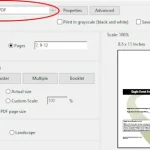
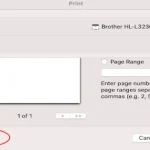
♦ When you have those signatures, use the ‘Print to PDF’ feature to save just the Approvals Page (page 11) to a file on your computer.
♦ Upload your Leadership Service Project Workbook and the Approvals page to your online folder.
♦ Go ahead and make a BoR appointment. Remember, if your documentation is incomplete, we will cancel the appointment!
♦ After you receive your District signed Approvals page, upload it to your online folder.
Reference letters are confidential. Guide to Advancement 9.0.1.7:
“Completed reference responses of any kind are the property of the council and are confidential, and only review-board members and those officials with a specific need may see them after the board. The responses are not to be viewed by or returned to the Scout.”
Make sure your References know that their letters are not to be shared.
♦ Submit your Eagle Scout Rank Application form to Eagle Scout Applications to request our Council’s verification signature.
Add the following documents to your online folder:
♦ Completed Planning and Report sections of your Workbook. Be sure to include the fully signed Project Report Approvals page.
♦ ‘Statement of ambitions and life purpose’
♦ Add your Council verified Eagle Scout Rank Application
♦ In a separate folder include any photographs of the project along with any other supporting material you want to make available to your review board.
♦ Before you book your appointment – Proposal or Rank Advancement – make sure all your required documents are in your online folder and that the folder itself is shareable.
♦ You can email us at Meridian Advancement with questions or comments.
♦ The Guide to Advancement is the singular source of information, rules, and requirements associated with Advancement. Check out Section 9 for Eagle Scout Rank requirements and guidelines.
♦ Safety is paramount. Make sure you are aware of and compliant with Scouting America’s Guide to Safe Scouting.
♦ Looking for Project ideas. Check out these projects featured in Scouting Wire. Extreme Makeovers
Eagles Nest – Golden Gate Area Council
♦ Life to Eagle – the complete journey
♦ GGAC’s Eagle Wall
♦ Eagle Projects Map
Signatures may be ‘wet’ or electronic. We suggest you use Adobe Acrobat’s ‘Fill & Sign’ or ‘Sign’ Feature.
If you use Adobe’s ‘Sign’ feature, you will have to use your computer’s ‘Print to PDF’ option to create an editable version of your form.
Signatures may be ‘wet’ or electronic. We suggest you use Adobe Acrobat’s ‘Fill & Sign’ or ‘Sign’ Feature.
If you use Adobe’s ‘Sign’ feature, you will have to use your computer’s ‘Print to PDF’ option to create an editable version of your form.
Tips & Guides
Contacts:
Paul Rettig, District Advancement Chair. 415-726-4239
Mark Thompson, District Executive, 925-674-6121
Nick Hall, 925-272-9140
Council Registrar for Rank Application verification.
Eagle Scout Service Project Workbook.
Follow this LINK to access the current version of the Workbook. When you start to prepare your Proposal, BSA requires you to use the most current version of the Workbook.
Eagle Scout Application Form
Use the feature in Scoutbook to generate a pdf version of the application form pre-filled with the information BSA has about you.
Guide to Advancement
This is a Downloadable Document in pdf form. Section 9 provides guidance for Eagle Rank related requirements and guidance.
Guide to Safe Scouting
This is an overview of Scouting polices & procedures gleaned from a variety of sources.
Scouting Safely
Safe Project Tool Use
Check out ideas for Service Projects
Eagle Project Before and After photos
An extensive selection of extreme makeovers featured in Scouting Magazine’s ‘Aaron on Scouting‘ page
An electronic signature is a signature in electronic form that is captured digitally and then added to a document. An electronic signature serves the same purpose as a handwritten signature identifying the person who signed the document.
The GGAC Eagles website is our Council’s official source of Eagle related procedures and general information. The items below link to sections in the extensive Life to Eagle documentation you will find there.

On the Council’s Eagles website, there is a comprehensive guide to all the steps along the Trail to Eagle. Clicking on any of the buttons below takes you to specific sections of the Guide.
STEM
Order of the Arrow